Standard Animation

format: gif
Custom Colors
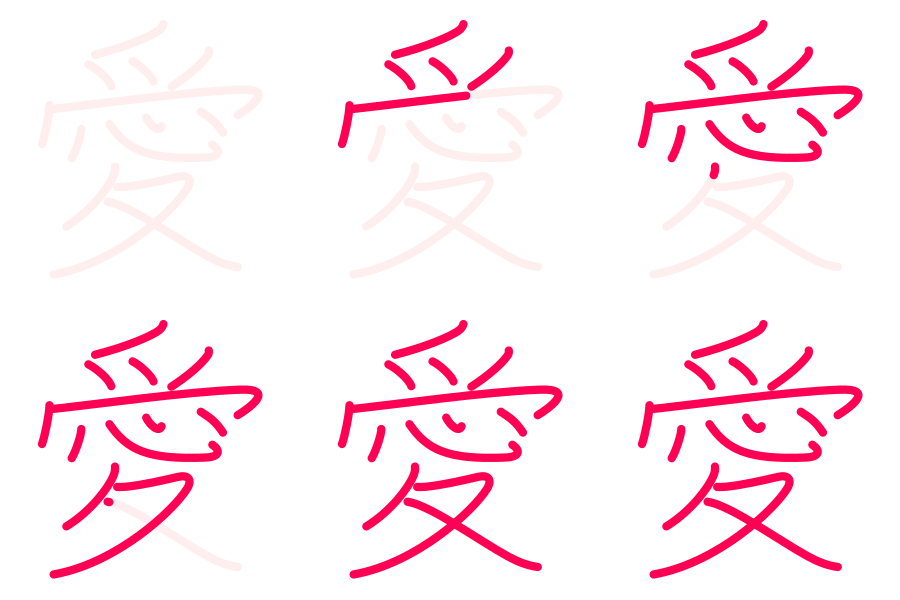
color: #ff0000
Transparent PNG
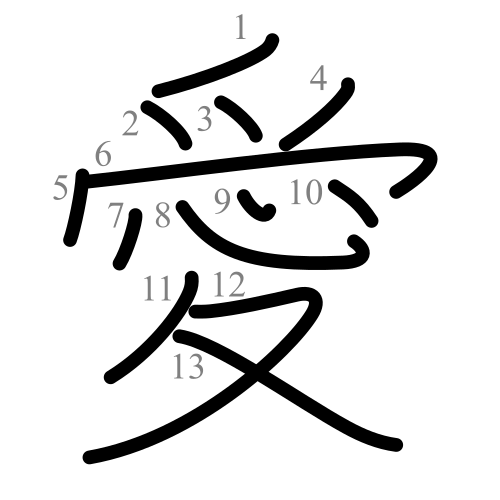
bg: transparent
A lightweight Node.js utility to generate high-quality SVG, PNG, and Animated GIFs for Japanese characters.
Production-grade utility powering the dictionary at Jepang.org
format: gif
color: #ff0000
bg: transparent
// Install globally to use the CLI anywhere
npm install -g kanji-png
// Or run directly with npx
npx kanji-png --help
Good for study apps. Complex characters take longer to write than simple ones.
npx kanji-png --kanji 漢 --format gif --width 300 --timing relative
You can also use the hex code directly without the .svg extension.
npx kanji-png --file 04e00 --format gif
Generate a large, crisp image (2000x2000px).
npx kanji-png --kanji 鬱 --format png --width 2000
Red strokes with a blue guide on a yellow background.
npx kanji-png --file 04e00.svg --format gif --color "#ff0000" --guide "#0000ff" --bg "#ffffcc"
Usage: kanji-png [options]

Modes:
  Default (no args): Generates Square PNG, OG PNG, and Animated GIF.
  Custom: Generates a specific format with custom settings.

Options:
  --help, -h        Show this help message.
  --kanji, -k <char> Process a single Kanji character (e.g., 一).
  --file <name>     Process a single SVG file (e.g., 04e00.svg OR 04e00).

Customization Options:
  --format <type>   Output format: 'png' or 'gif'.
  --width <px>      Output width.
  --height <px>     Output height. (Defaults to width if omitted).
  --out <dir>       Output directory (default: 'kanji_custom').
  --bg <color>      Background color (e.g., 'white', 'transparent' or '#RRGGBB').
                    Default: 'white' (GIF/PNG), 'transparent' (Square PNG).
  --color <hex>     Main stroke color (default: '#000000').
  --guide <hex>     Guide stroke color (default: '#dddddd', use 'none' to hide).

Animation Options (GIF only):
  --duration <ms>   Total animation duration (default: 2000ms).
  --fps <num>       Frames per second (default: 20).
  --timing <mode>   'fixed' (default) or 'relative'.
                    fixed: All kanji take 'duration' ms.
                    relative: Duration depends on stroke count.

Examples:
  kanji-png --file 04e00.svg --format gif --width 300 --timing relative
  kanji-png --format png --width 500 --bg transparent --guide none
Created by sepTN. Licensed under CC BY-SA 3.0.
Based on KanjiVG and AniKanjiVG data.